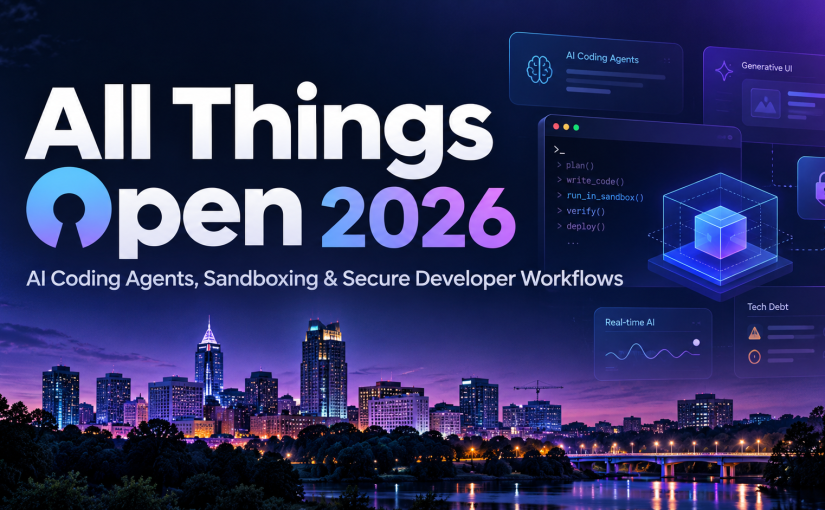
All Things Open 2026 is on in Raleigh! With more than 100 sessions and speakers, choosing what to attend is not easy.
I went through the conference program and shortlisted the sessions that caught my attention. My interests lean toward AI agents, software architecture, developer productivity, security, and data engineering, practical engineering challenges, along with a few interesting topics on model training, real-time AI, and emerging user interfaces.
AI coding assistants have evolved considerably. We’re now moving toward autonomous agents that can modify repositories, execute commands, provision infrastructure, and even deploy applications. But giving an agent the ability to write code is relatively easy. Making it reliable, secure, efficient, and useful in a real engineering environment is a much harder problem.
AI Coding Agents and Developer Infrastructure
1. Death by Worktree: Why Agent Sandboxes Choke on Disk I/O
Speaker: Bradley Hilton
Why attend: Git worktrees and isolated sandboxes are becoming common approaches for running multiple coding agents concurrently. But filesystem performance can become a serious bottleneck. This session addresses an often-overlooked infrastructure problem: the I/O overhead associated with agent execution environments. Particularly relevant for anyone experimenting with parallel coding agents and multi-repository workflows.
2. Building Functional Dev Environments for Humans and Agents
Speaker: Matyas Danter — Staff Solutions Engineer, Coder
Why attend: AI agents need reproducible development environments just as much as human developers do. The talk explores practical approaches to managing development environments across monorepos, multiple repositories, and distributed teams.
3. AI Sandboxes: Running Coding Agents Safely in Production-Grade Environments
Speaker: Shivay Lamba — Lead ML Engineer, Qualcomm
Why attend: Coding agents execute commands and generate code that may not be entirely trustworthy. Sandboxing is becoming essential for safely scaling autonomous development.
4. Sandboxing AI Agents in the Enterprise: A Practitioner’s Guide to Isolation Technologies
Speaker: Balu Mathew — Machine Learning Engineering Technical Leader, Cisco
Why attend: An architectural perspective on isolation technologies for enterprise AI agents. I’m particularly interested in understanding the security, performance, and operational trade-offs between different sandboxing approaches.
5. The Last Mile of AI-Assisted Development
Speakers: Colin Griffin and David Johnson — Krumware / SUSE
Why attend: Generating code is only part of software delivery. Building, testing, deploying, and maintaining it remain substantial challenges. The session includes a look at extending Rancher using Epinio, an open-source Kubernetes application deployment platform. Worth considering for its practical platform-engineering angle, although the presentation has a vendor-specific component.
Agent Security, Permissions, and Governance
6. You Can Give Any Agent Access to kubectl. But How Do You Make One That Should Have Access to kubectl?
Speaker: Charles Johnson — Mezmo
Why attend: Connecting an agent to Kubernetes is easy; deciding whether it should be trusted with cluster operations is not. This session challenges the assumption that giving agents write access to production systems must inevitably end in disaster. An interesting opportunity to explore controlled autonomy, operational safeguards, and the boundary between agent capabilities and permissions.
7. Fine-Grained Access Control for Hosted MCP Servers You Don’t Own
Speaker: Nick Taylor — Developer Advocate, Pomerium
Why attend: One of the more practical security topics on my list. Nick demonstrates an identity-aware proxy that enforces per-tool authorization across hosted MCP servers without modifying them. The approach addresses credential sprawl, OAuth limitations, and tool-call auditing. Nick has presented extensively on MCP and Zero Trust security, including at Black Hat and other technical conferences. The demo uses open-source Pomerium.
8. AI Wrote the Code – Is It Secure?
Speaker: Adhithi Ravichandran — Founder and Software Consultant, Surya Consulting
Why attend: AI-generated code can introduce vulnerabilities even when it appears functionally correct. This session examines the security implications of AI-assisted software development. Adhithi’s software consulting background should offer a practitioner perspective on the security checks and engineering discipline needed before trusting AI-generated code in production.
Model Training, Real-Time AI, and New Interfaces
9. The Beginners Guide to Training Your Own AI Coding Model on Your Own Data
Speaker: Bekah Hawrot Weigel — The Paper Compute Company
Why attend: I’m particularly interested in small, specialized coding models trained on custom datasets. Understanding how to prepare training data and adapt a model for specific coding tasks is becoming increasingly valuable. This should be a useful introduction for developers exploring model customization beyond prompting and RAG.
10. How Open is your Realtime AI Stack?
Speaker: Omar Warraky — Senior Solutions Architect, LiveKit
Why attend: Real-time voice AI requires considerably more than an LLM. Speech recognition, synthesis, media transport, orchestration, and latency management all matter. This session should be particularly interesting for understanding the open-source components and architectural choices available when building low-latency conversational applications.
11. Where Is My Futuristic App? Generative UI and the Open Future
Speakers: Mark Techson, Andrew Brogdon, and Marc Dougherty — Google
Why attend: What happens when agents generate not just content but the user interface itself? This keynote explores Generative UI and the A2UI protocol, including a look at a working application’s codebase. Although Google-led, the focus on open protocols and actual implementation makes it worth watching.
12. To Boldly Go: Data Science Exploration with AI Agents (ft Star Trek’s LCARS Theme)
Speaker: Dawn Wages — Director, Community and Developer Relations, Anaconda
Why attend: A creative approach to exploring data science through AI agents, using Star Trek’s LCARS interface as inspiration. This looks like an enjoyable opportunity to see how conversational agents and interactive interfaces can make data exploration more approachable.
Software Engineering and the Developer Community
13. When Code Costs Nothing: Tech Debt in the Age of GenAI
Speaker: Rachel Stephens — Research Director, RedMonk
Why attend: AI dramatically reduces the effort required to produce code, but does it reduce the long-term cost of maintaining software? This session examines how generative AI changes our understanding of technical debt, code ownership, and engineering accountability. This session should bring an independent industry-research perspective, making this particularly appealing as a counterbalance to AI productivity hype.
14. AI Tinkerers Raleigh: Top Demos of the Year and Their Community Impact
Speaker: Danny Castro — AI Tinkerers Raleigh
Why attend: Sometimes the most interesting innovations come from local builders rather than major technology companies. This demo showcase highlights practical AI projects from the Raleigh community. A good opportunity to discover emerging tools, meet developers, and see what people are actually building.
Final Thoughts
Looking across these sessions, a few important themes stand out:
- Agent infrastructure matters. Sandboxing, and reproducible environments are becoming fundamental building blocks of AI-assisted development.
- Security cannot depend on trusting the model. Permission boundaries, isolation, authorization, and auditing must be enforced outside the agent itself.
- The software engineering bottleneck is shifting. Generating code is becoming easier, while validation, maintainability, and production readiness remain difficult.
See the complete All Things Open Tuesday schedule for session times and locations.
Looking forward to seeing what the speakers and the open-source community have been working on!